Practice JavaScript interview questions,
right on your desktop.
Practice the 24 most asked JavaScript interview questions using a real code editor, an AI panel that explains why your tests fail, and progress tracking across easy, medium and hard. Try a question free in your browser, then start a 7-day free trial.

Hi, I'm Michael. A Senior Software Engineer working in London. I've compiled these questions based on what I've asked in interviews and have been asked over my 7+ years of working as a Software Engineer.
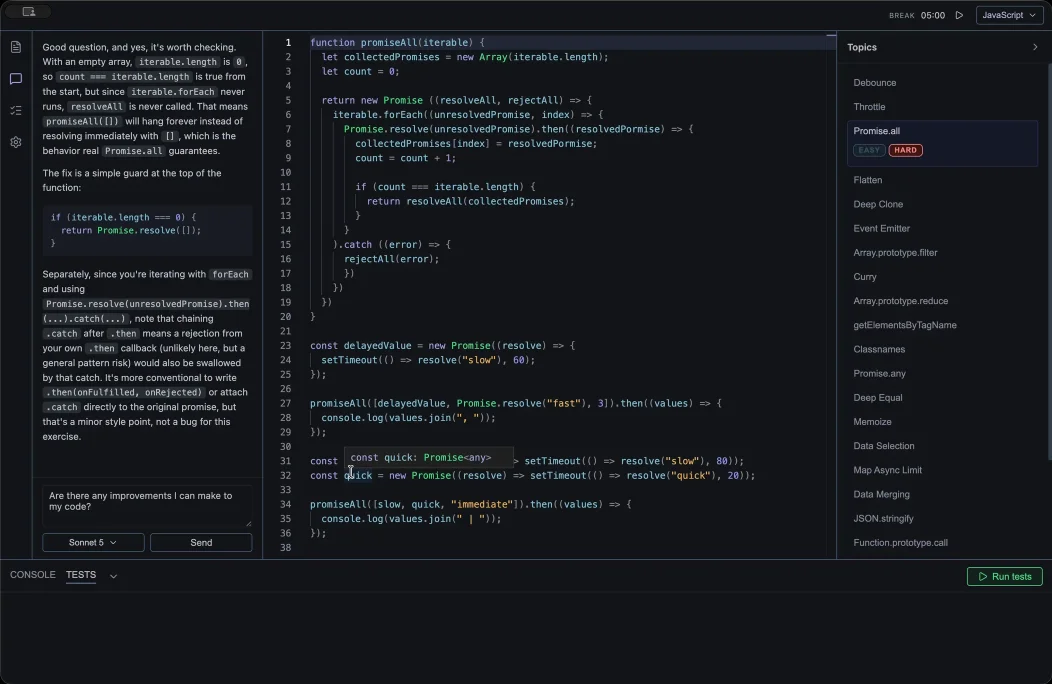
AI review
Get feedback on your approach, understand failing tests and explore edge cases. AI review is included with Pro in the browser.
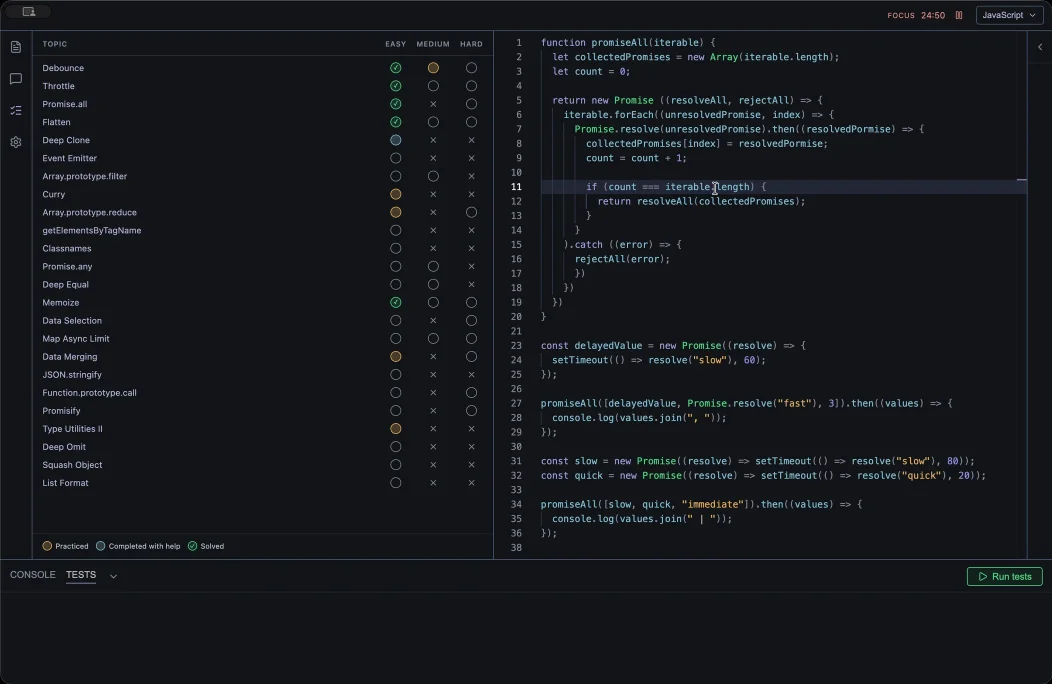
Progress tracking
Keep a log of your progress with three different states. Practiced, Completed with help and Solved. A Pomodoro timer is also included to help aid in learning efficiently.
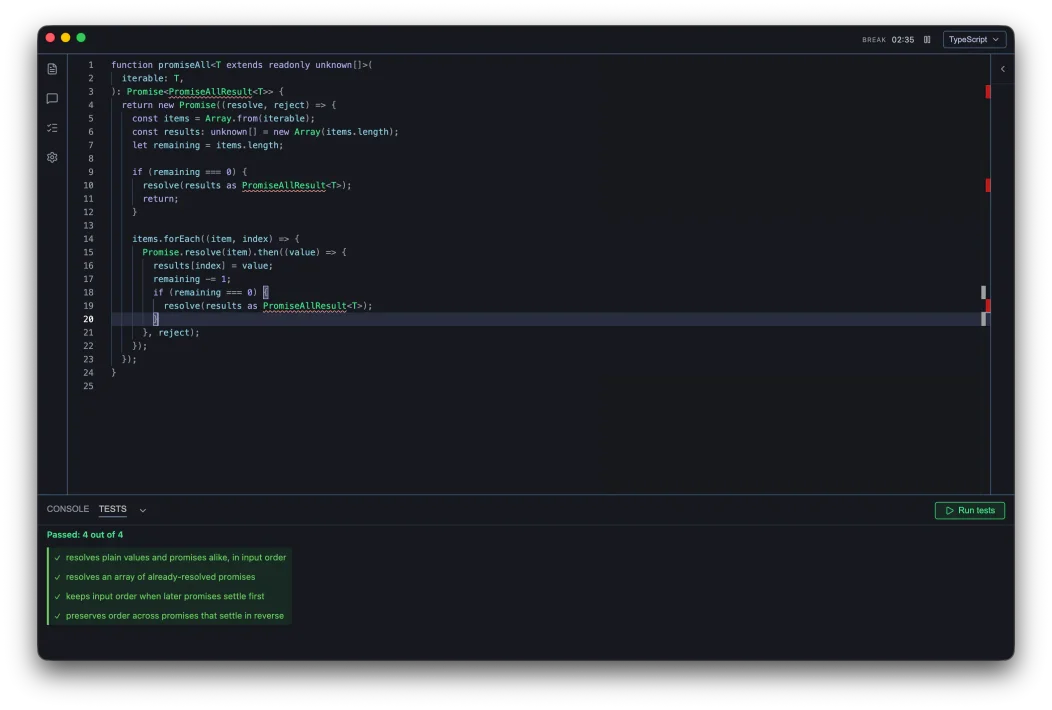
A real code editor
Monaco-powered, the same editor that runs VS Code. Syntax highlighting, autocomplete. Available in JavaScript and TypeScript
Start with these three questions
You can try these three questions in the app, or browse all 24 questions for full explanations of their solutions, tests and edge cases.
Loved by JavaScript and TypeScript developers
preparing for interviews
“I love the AI panel. Instead of having to go to MDN or open a new tab or agent and copy and paste my code I can open the panel and it shows me exactly where I went wrong and what someone might probe more into during an interview.”

“Having a real editor with an AI panel helped me understand when my solutions ‘worked’ but actually had a edge cases I hadn’t thought about.”

“Been looking to switch careers for a while now but hard to find the time to practice and learn, it’s nice to have something I can practice with while on the train to work.”

Start practising in your browser
Open Practice Pad on your laptop or desktop. Try a question in the editor, run the tests and get AI feedback, all in your browser.
JavaScript interview practice, explained
What is Practice Pad?
Practice Pad is a JavaScript interview practice app for your desktop browser. You write solutions in a real code editor, run tests, and track your progress across easy, medium, and hard exercises. The library covers functions, arrays, objects, promises, and other topics that come up in JavaScript interviews.
Is Practice Pad free?
All 24 website question guides are free to read, and you can try a question in the browser editor during a short walkthrough. After that, Pro starts with a 7-day free trial, then a monthly or yearly subscription. Pro includes all 24 questions in the browser editor and the AI panel. See pricing for your price.
How should I practise a JavaScript interview question?
Start with the prompt and write your own solution before reading the answer. Run the tests, investigate failures, and try the harder cases. Then compare your approach with the guide and practise explaining the trade-offs aloud. Questions such as debounce and deep cloning an object include edge cases to work through.
What if this is too advanced for me?
Then build up to it. These questions are interview questions, and being able to write debounce from memory is a long way past your first loop. Start with JavaScript in 30 for the language itself, a concept at a time. Move on to The Odin Project, which is free and takes you through building real things rather than following along. Then GreatFrontEnd for the wider front-end interview: system design, React, and the rest of what gets asked. Practice Pad is for the stage after that, when you know the language and want the specific questions drilled until they are automatic.
Which platforms does it run on?
Practice Pad runs in your browser on a laptop or desktop computer. Use a modern browser with JavaScript enabled and an internet connection. On a phone, you can read all 24 question guides.